

The same intake every time
A step-by-step flow means no one has to remember which angles to shoot.
Guided Photo Check-In
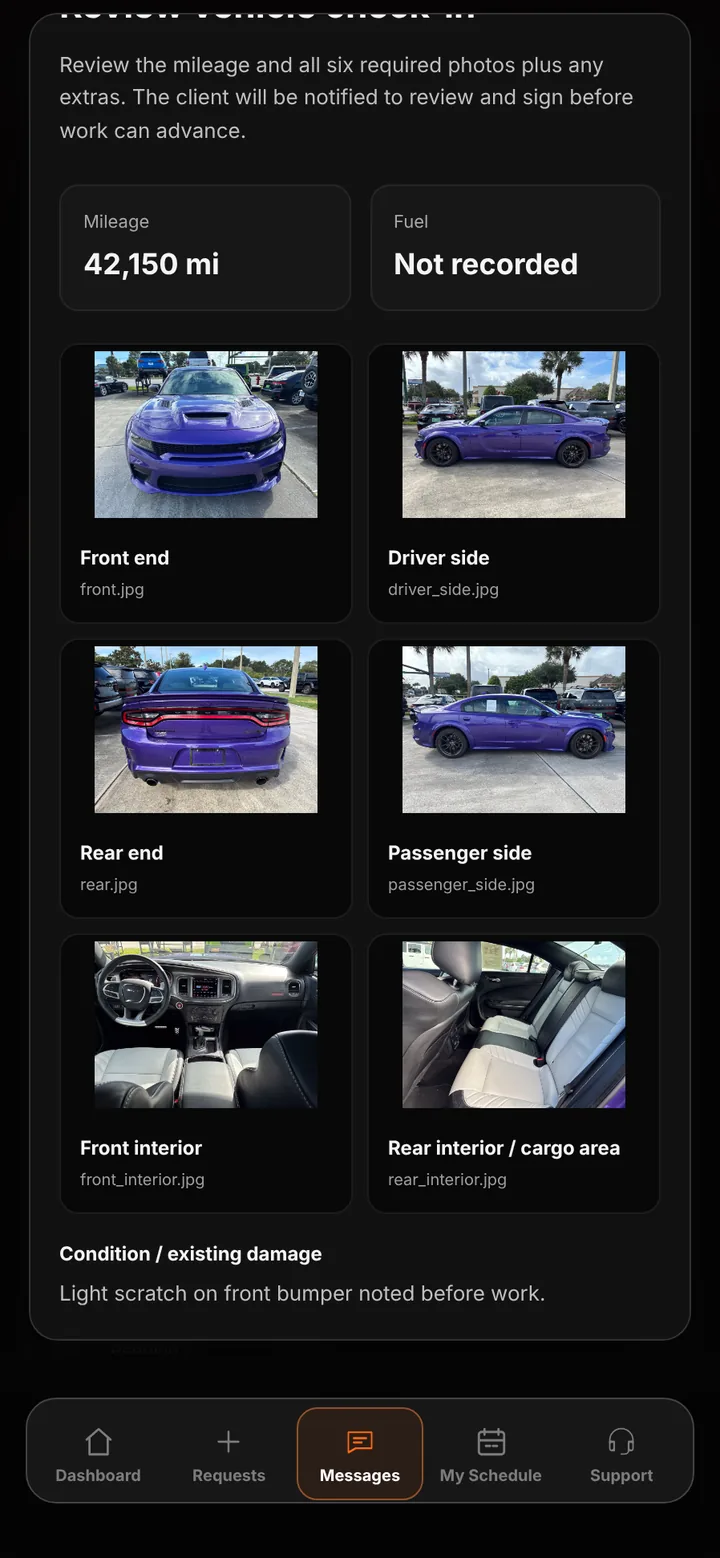
When a vehicle is marked received, a guided walkthrough takes your team through the mileage, six required photos, and condition notes — then sends the record to the customer to review and sign.
Who it’s forFor the team members who receive vehicles, and for customers who approve the intake record.
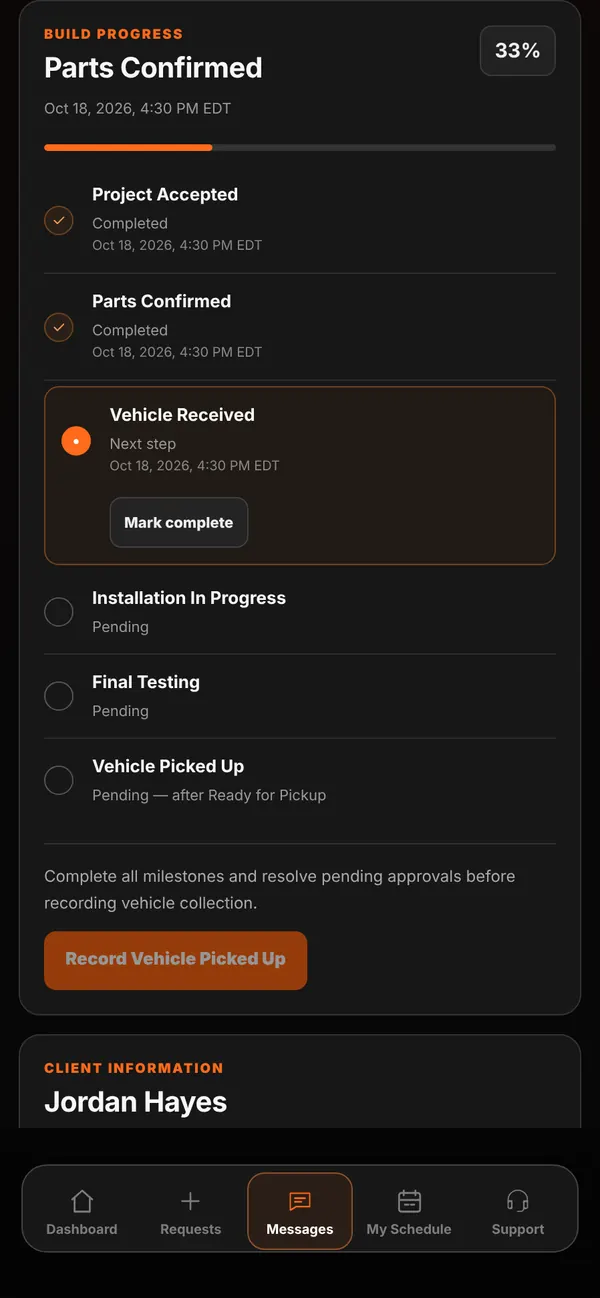
Live demo of real BUILT screens with example data
How it works
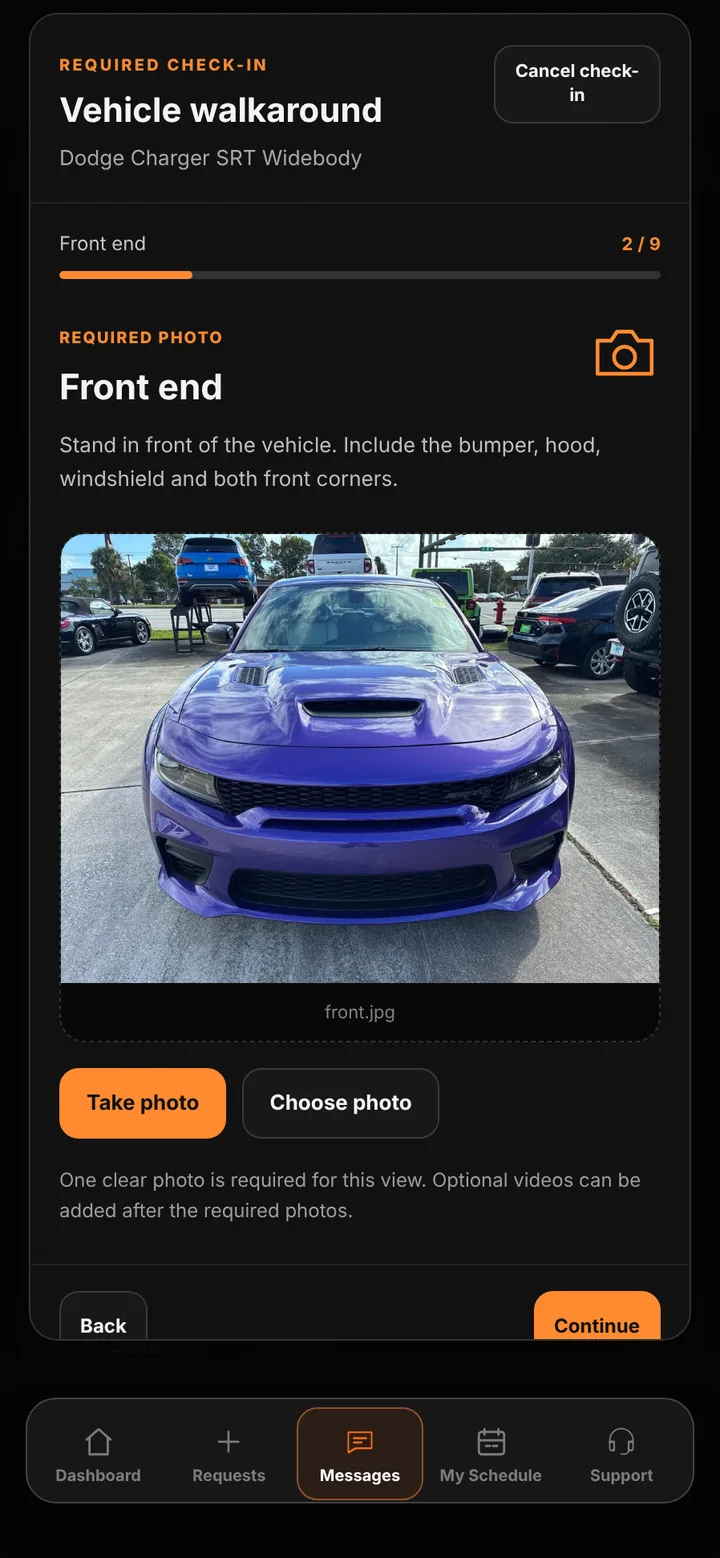
Check-in opens from Today’s Schedule, the Live Workshop, or the job’s records. The team enters a whole-number odometer reading, then captures or chooses one photo for each required view. Condition notes, customer-supplied items, fuel level, and up to four extra photos or videos can be added before a final review. Nothing uploads until the team confirms that review, and cancelling saves nothing.
Inside the app
Scroll — the screen follows along.
Each step explains what to capture and offers the phone camera or a saved photo.
Mileage, all six required photos, notes, and customer items on one screen.
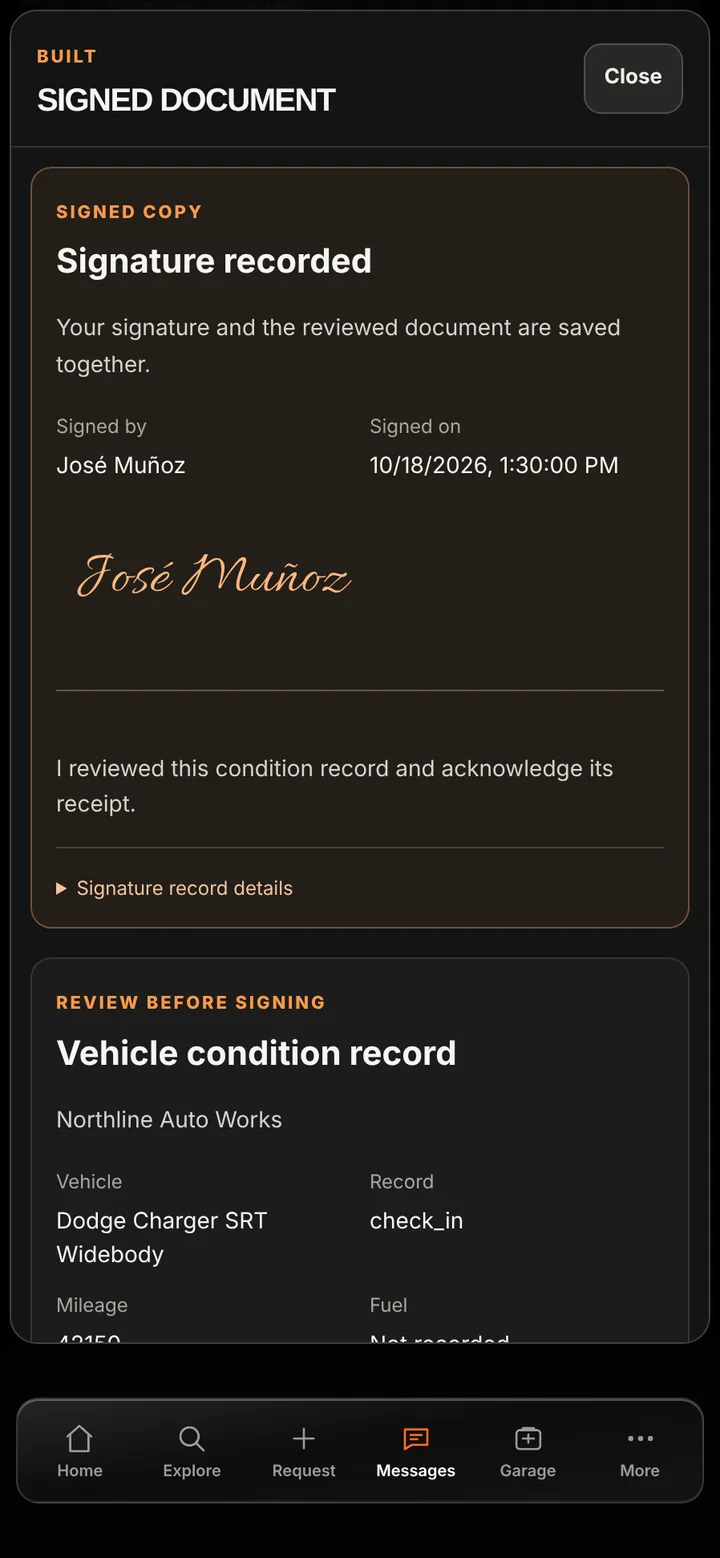
The signed copy keeps the reviewed photos, mileage, and signature together.
A step-by-step flow means no one has to remember which angles to shoot.
Pre-existing damage is documented and acknowledged by the customer before work starts.
Intake photos and mileage stay with the job’s records and Live Workshop.
Good to know
See BUILT in action
Walk through the tools, explore your workflow, and talk about what fits your business.
Book demo