

Bookings outside business hours
Eligible services can be booked any time, within the hours and notice you set.
Instant Booking
For services you mark eligible, AutoPilot takes the customer from choosing a service to a confirmed appointment, using your fixed price, your scope, and your real availability.
Who it’s forOwners choose which services qualify. Drivers book from your shop’s profile.
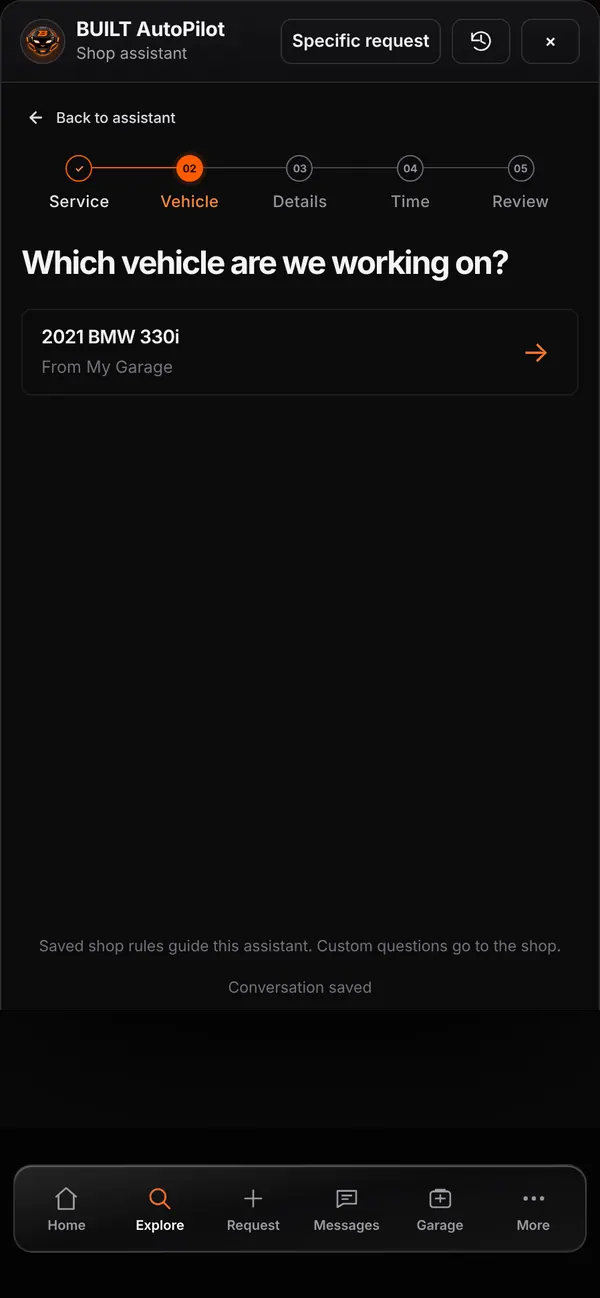
Live demo of real BUILT screens with example data
How it works
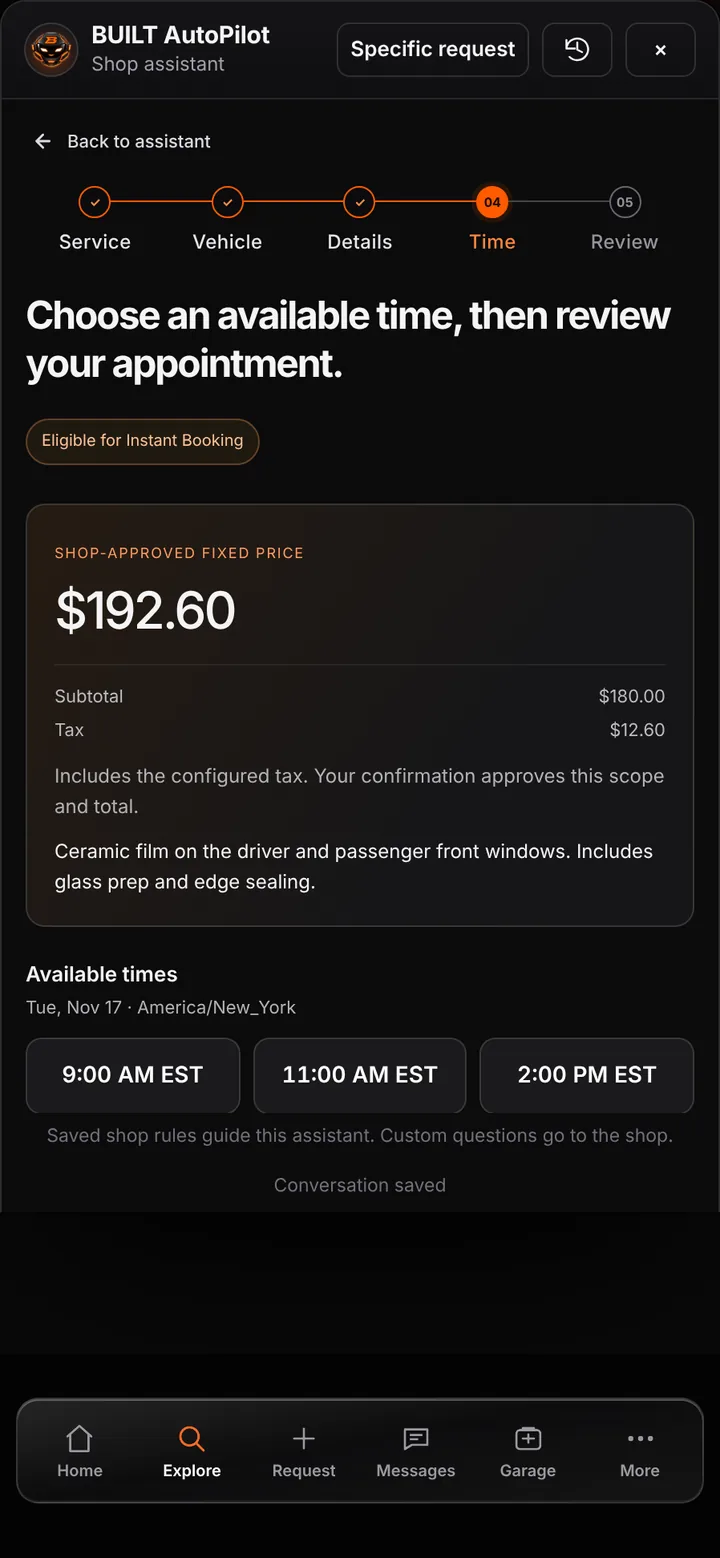
Booking follows five steps: service, vehicle from the customer’s Garage, the shop’s questions, time, and review. Available times come from your bookable hours, minimum notice, booking horizon, closed dates, and existing calendar. The customer sees the shop-approved fixed price with tax and the exact scope, approves them, and confirms the appointment — and the job starts in Live Workshop.
Inside the app
Scroll — the screen follows along.
The shop-approved fixed price, scope, and the open times for the chosen date.
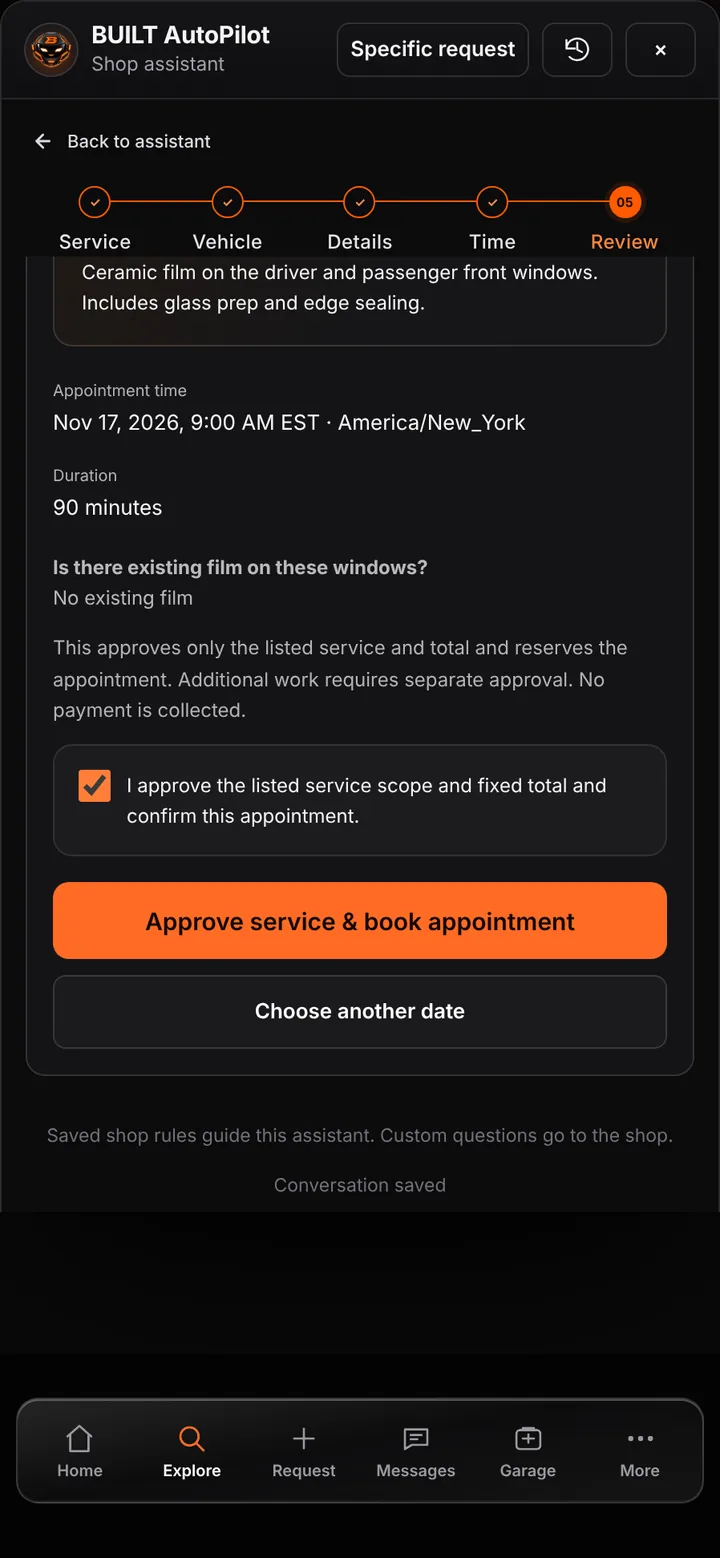
The customer approves the listed scope and total before the appointment is booked.
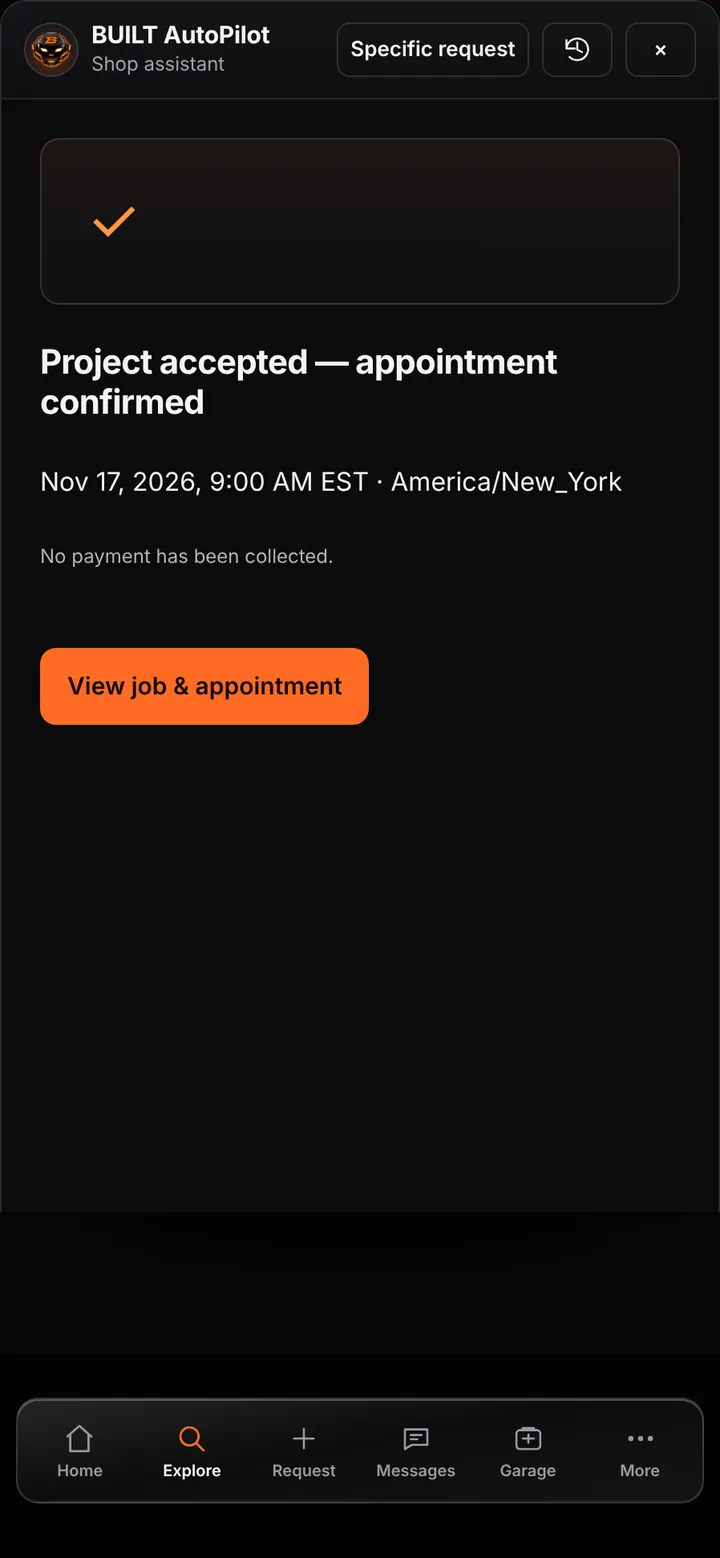
The project is accepted, the appointment confirmed, and no payment has been collected.
Eligible services can be booked any time, within the hours and notice you set.
Times are checked against your availability and existing calendar.
The approved price and scope are recorded with the booking.
Good to know
See BUILT in action
Walk through the tools, explore your workflow, and talk about what fits your business.
Book demo