

Answers without spreadsheets
See sales, estimates, and technician activity without rebuilding the numbers by hand.
Job & Business Reports
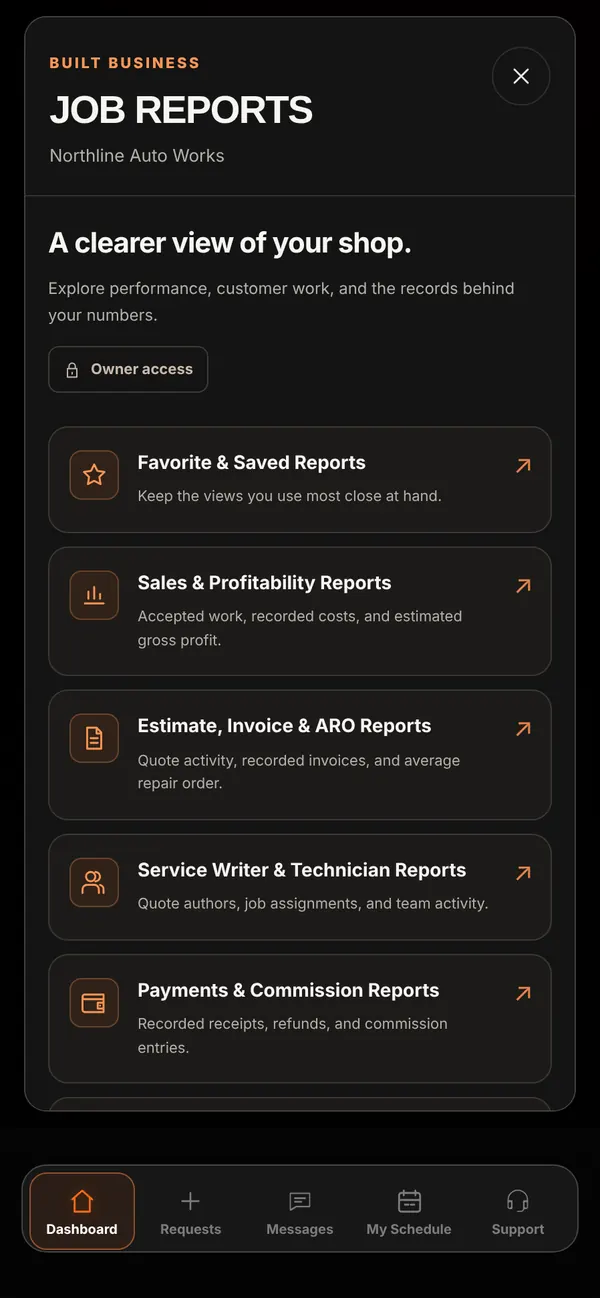
Job Reports brings nine report categories, saved views, and exports into your workspace, and Profitability shows what each job earns based on the numbers your shop records.
Who it’s forFinancial reports and Profitability are for the shop owner only.
Live demo of real BUILT screens with example data
How it works
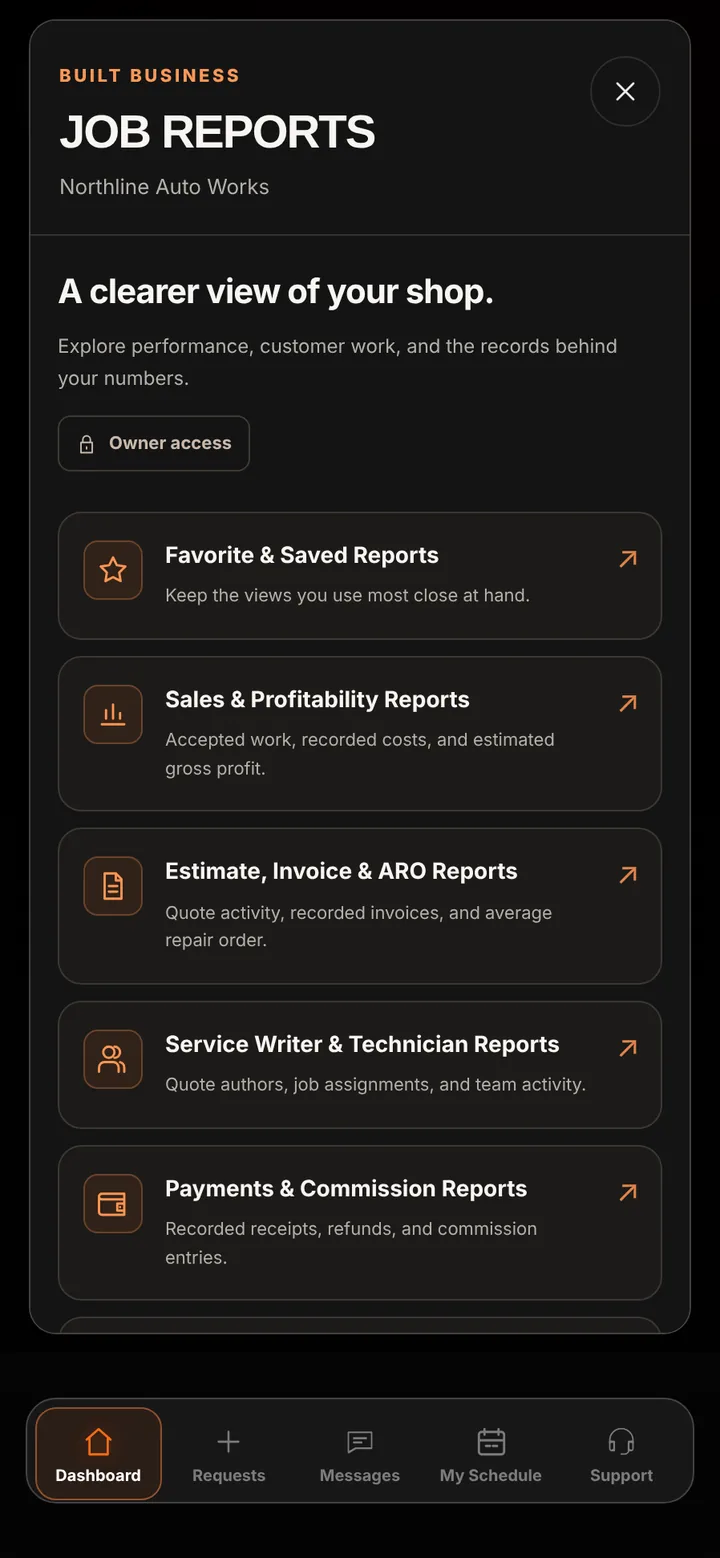
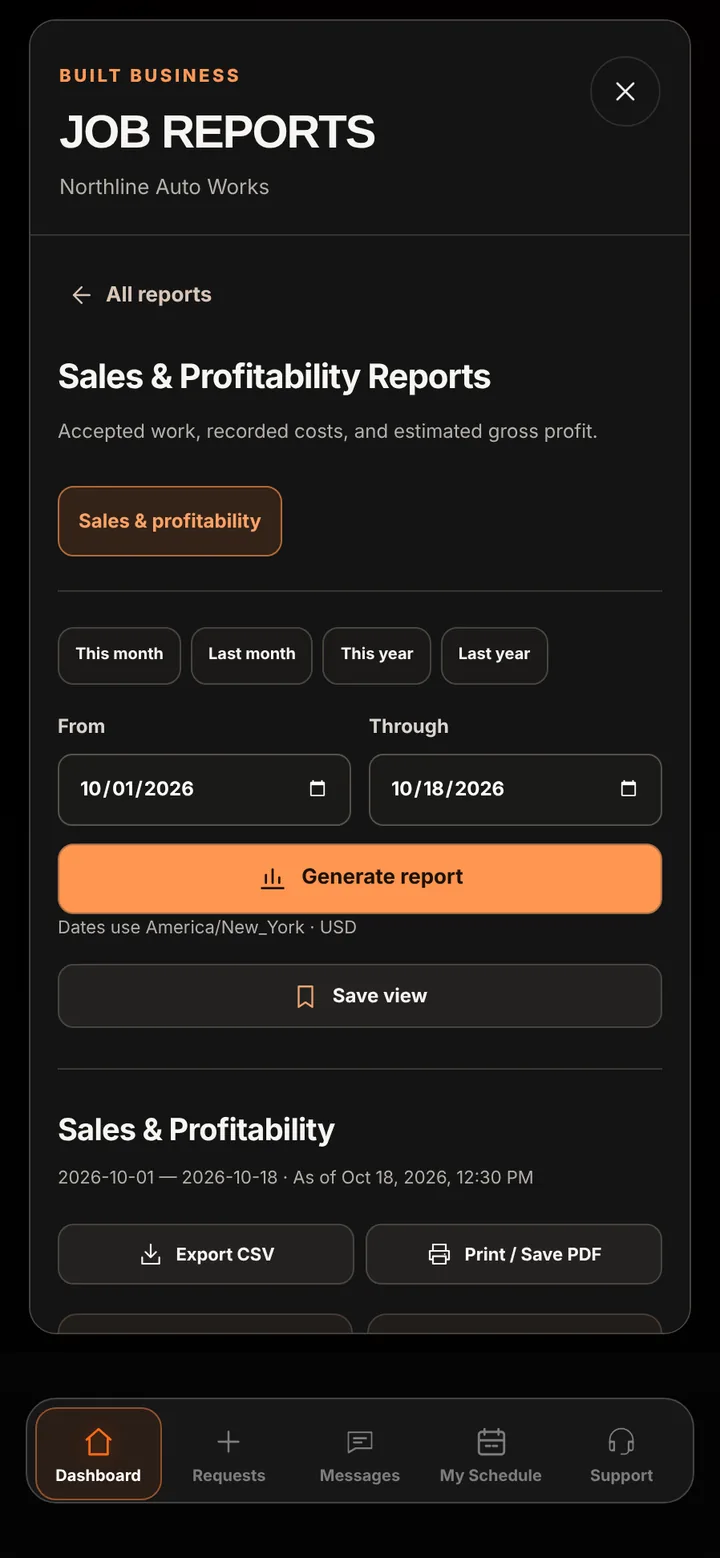
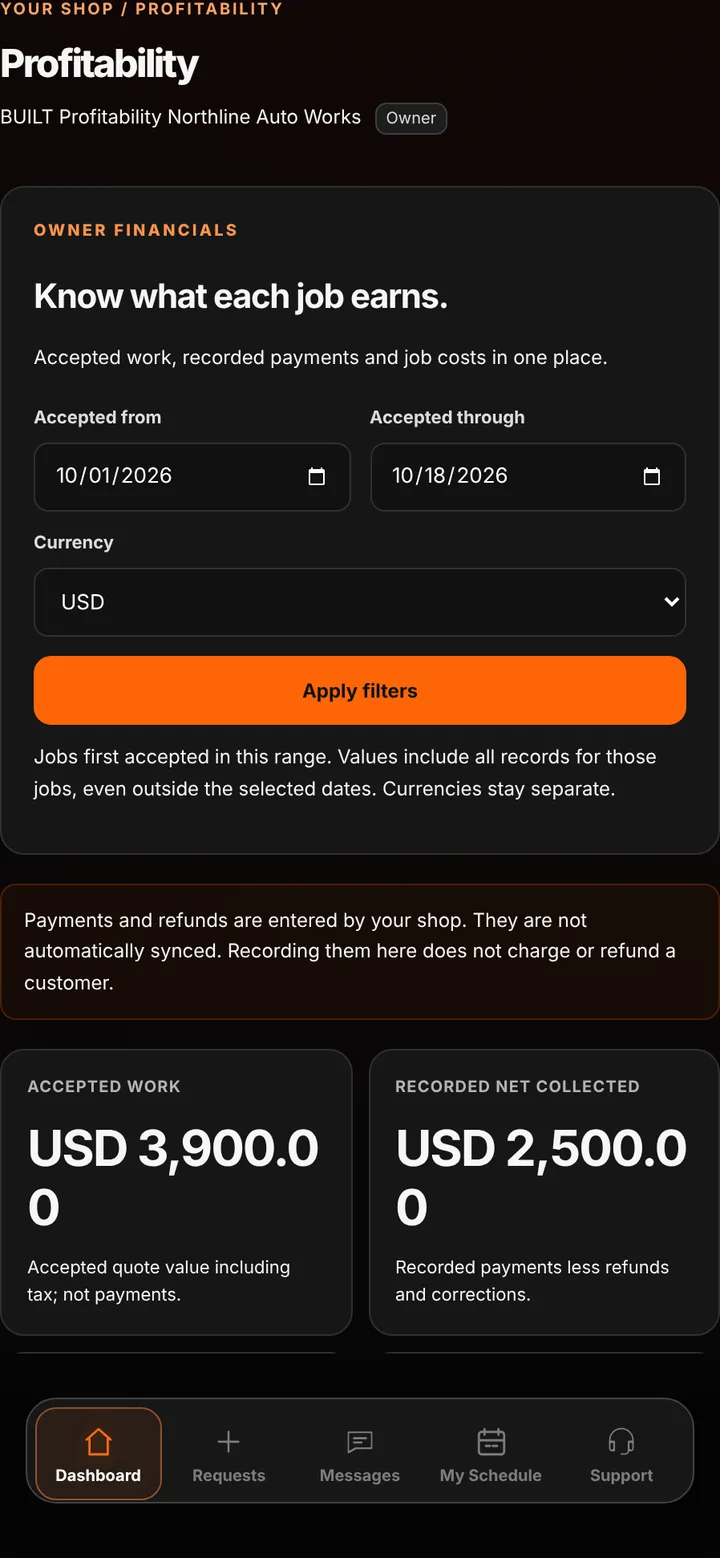
Reports cover Favorites & Saved Reports, Sales & Profitability, Estimate/Invoice & ARO, Service Writer & Technician, Payments & Commission, Deferred Services & Customer, Digital Vehicle Inspection, Purchase Order & Vendor, and Time Clock Tracking. Pick a date range, generate the report, save the view to reopen with current data, and export to CSV or print to PDF. Profitability lists accepted work, recorded collections, and estimated gross profit for each job.
Inside the app
Scroll — the screen follows along.
Nine categories, from sales and estimates to inspections, vendors, and time clock.
Choose a range, generate the report, save the view, and export to CSV or PDF.
Accepted work and recorded collections, with plain-language definitions.
See sales, estimates, and technician activity without rebuilding the numbers by hand.
Each measure says what it includes, so quoted sales, recorded payments, and estimated profit are never mixed up.
Export matching records to CSV or PDF whenever you need them.
Good to know
See BUILT in action
Walk through the tools, explore your workflow, and talk about what fits your business.
Book demo