

Fewer “is it ready?” calls
Customers can check the stage, latest update, and estimated completion themselves.
Live Workshop
Every accepted job gets a Live Workshop: the current stage, a project log, files, quotes, and job records in one place. Your team runs it from BUILT Business while the customer follows the same job in their BUILT account.
Who it’s forFor owners, managers, front desk, and assigned installers — and the customer whose vehicle it is.
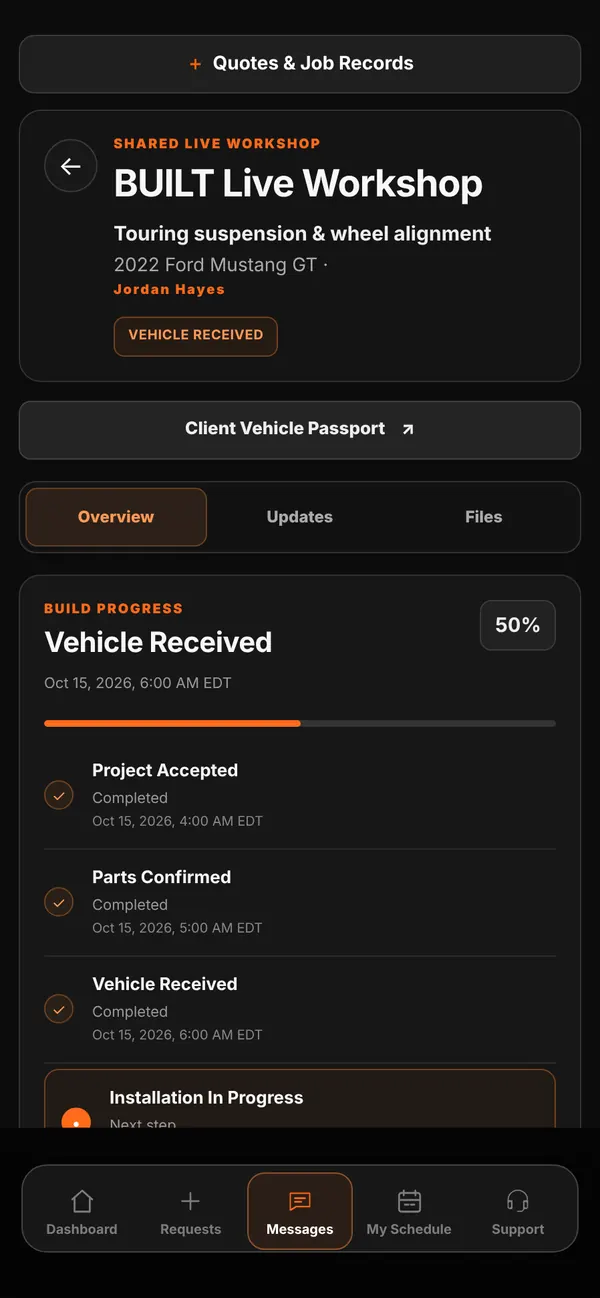
Live demo of real BUILT screens with example data
How it works
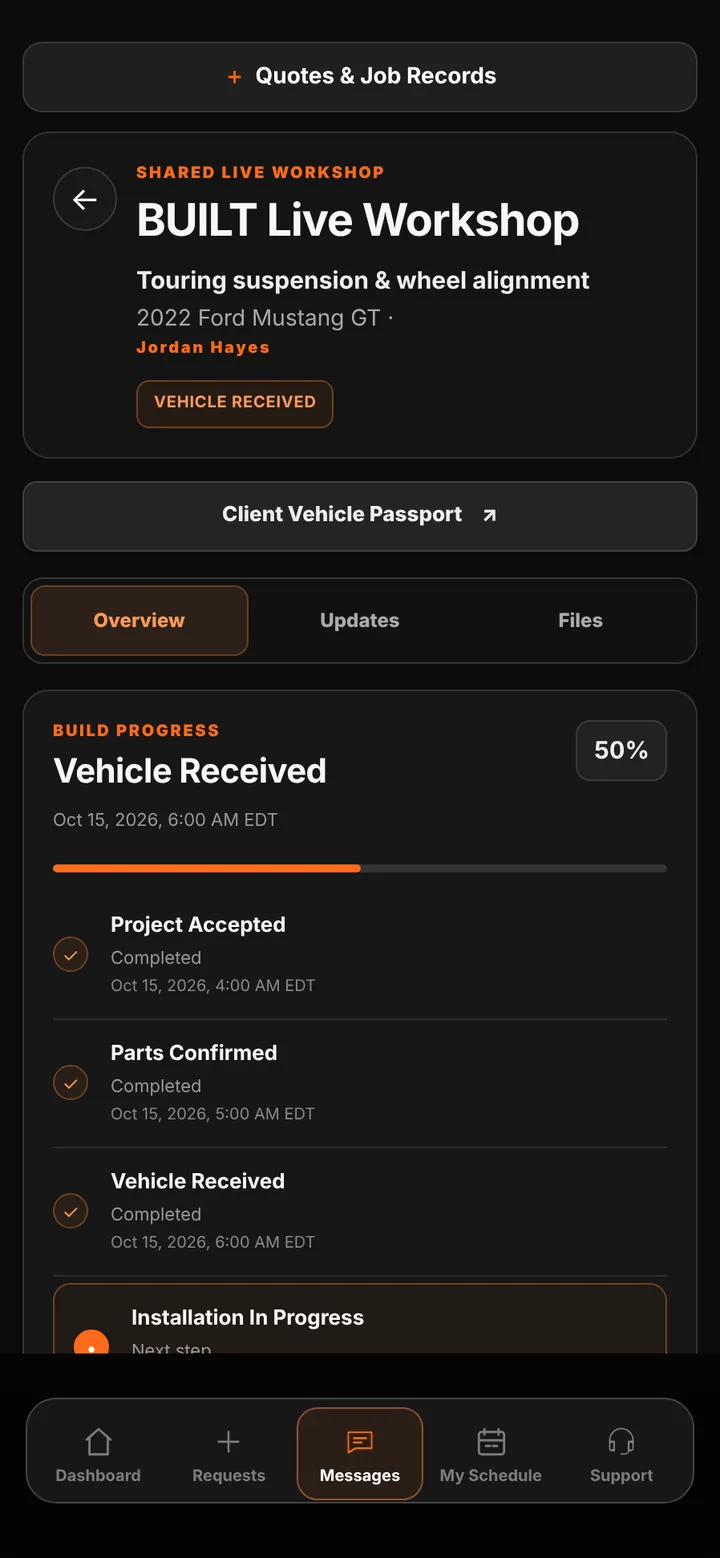
Jobs move through clear stages: Project Accepted, Parts Confirmed, Vehicle Received, Installation in Progress, Final Testing, and Ready for Pickup. Each completed stage is timestamped. Your team posts updates and files to the shared log, sets an estimated completion time, and records the current bay, hold reason, and assigned team. The customer sees the progress and updates; internal hold notes stay inside your shop.
Inside the app
Scroll — the screen follows along.
The job’s stage, completion percentage, and timestamped milestones, with Overview, Updates, and Files tabs.
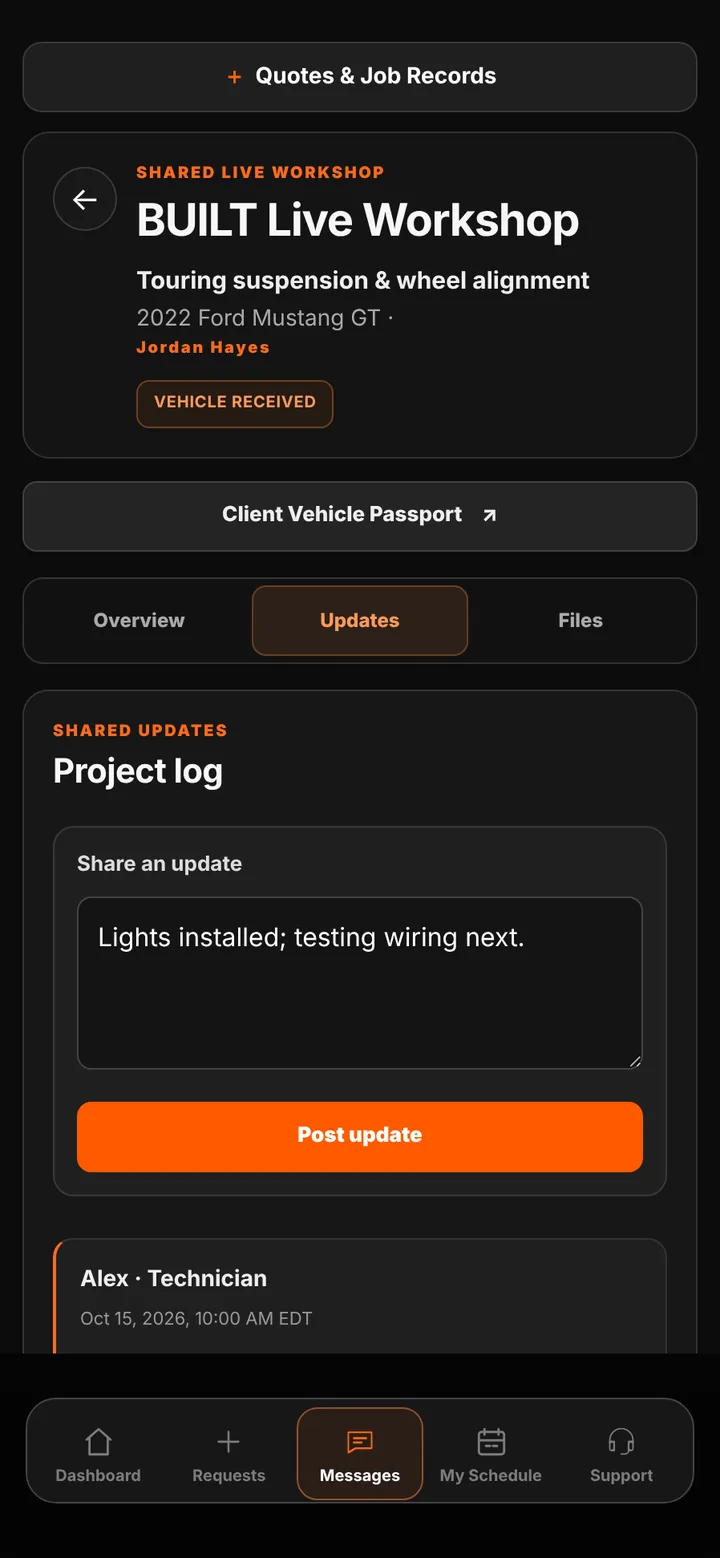
Post an update and it appears in the customer’s view of the job.
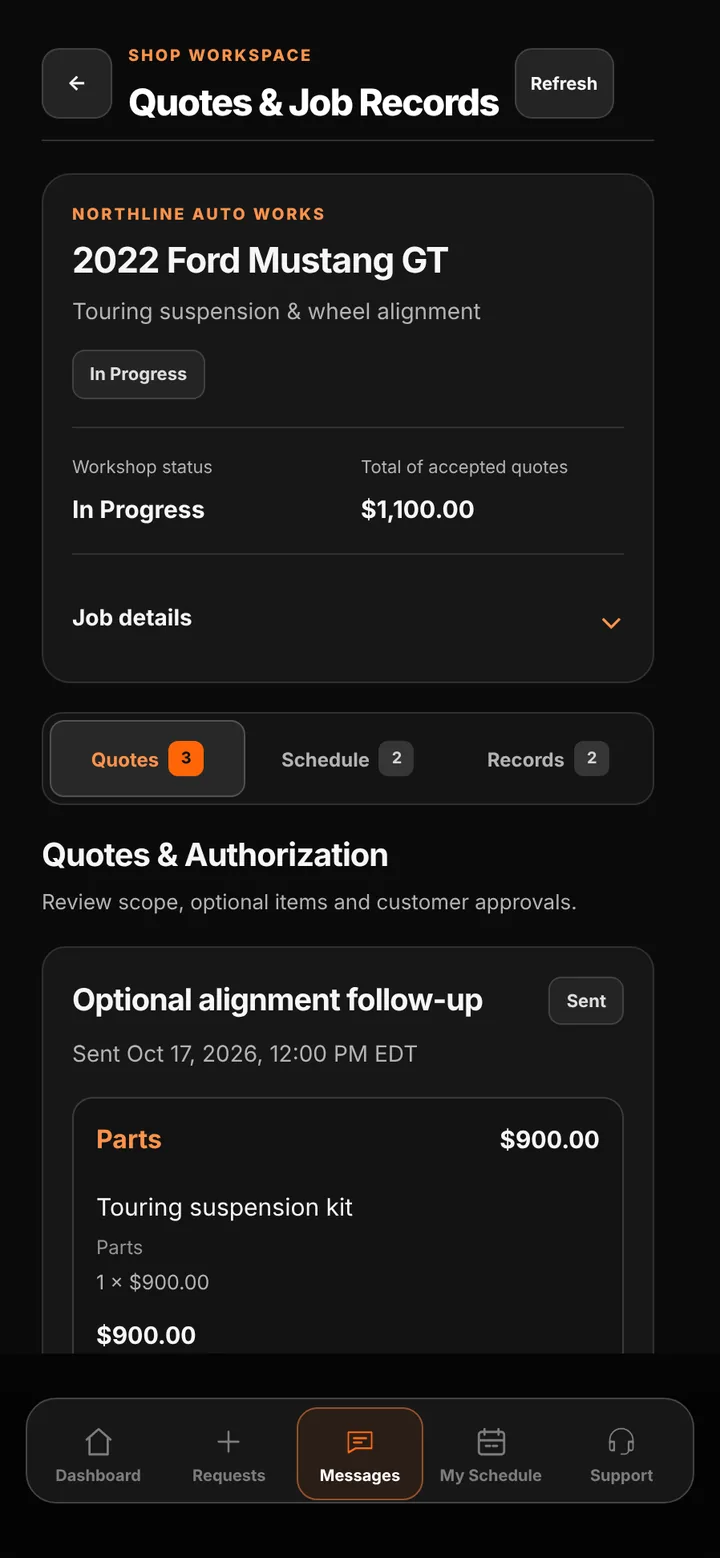
Quotes & Job Records keeps accepted totals, schedule, and condition records attached to the vehicle.
Customers can check the stage, latest update, and estimated completion themselves.
Updates, files, quotes, and condition records stay together instead of scattered across texts and folders.
Front desk, managers, and installers work from the same job view, scoped to their role.
Good to know
See BUILT in action
Walk through the tools, explore your workflow, and talk about what fits your business.
Book demo