

No more digging through texts
The vehicle and job are attached to the conversation, so nobody asks “which car was this?”
Customer Messaging
Every customer conversation lives in your BUILT inbox, tied to the vehicle and the job. Reply, share photos, open quotes, and jump to the Live Workshop without leaving the thread.
Who it’s forFor owners, managers, and front desk staff. Installers see conversations only for the jobs assigned to them.
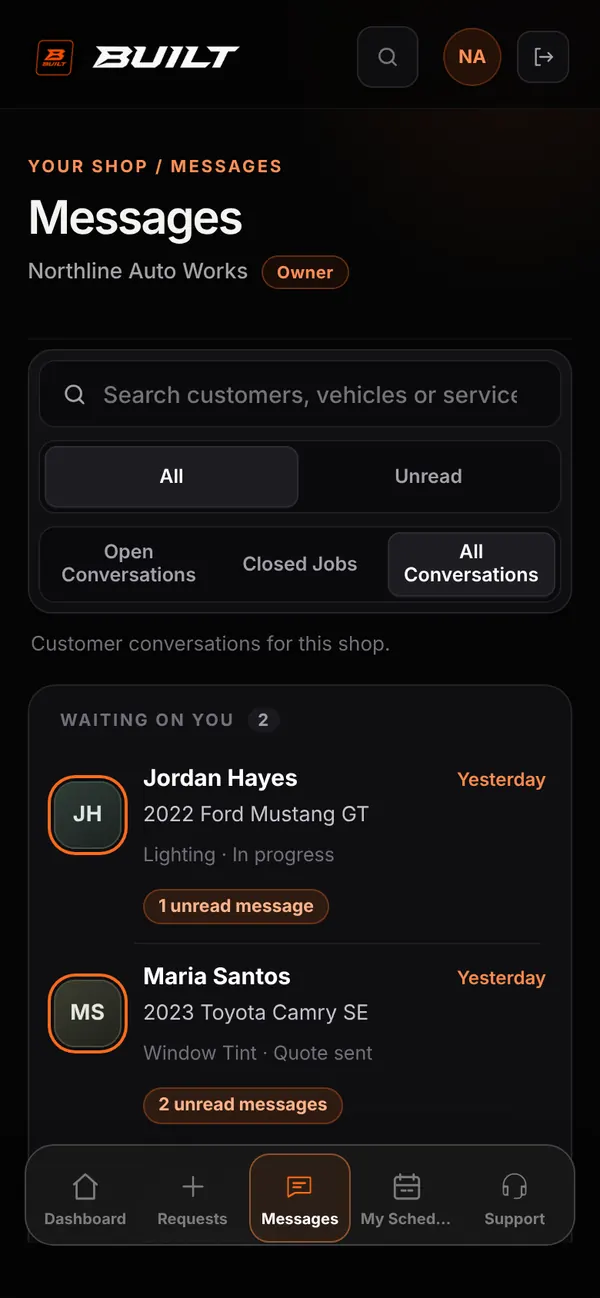
Live demo of real BUILT screens with example data
How it works
The inbox shows each customer with their vehicle, service, job status, and unread count. Filter by All or Unread, and by open conversations, closed jobs, or everything. Inside a thread, the vehicle and an Open Live Workshop button sit at the top, quotes open with Review Quote, and you can attach a photo, video, or file. Closed conversations keep their full history.
Inside the app
Scroll — the screen follows along.
Each thread shows the customer, vehicle, service, status, and unread count.
The vehicle and Open Live Workshop sit above the conversation, and quotes open right from a message.
Reply from the same thread through approval, work updates, and pickup.
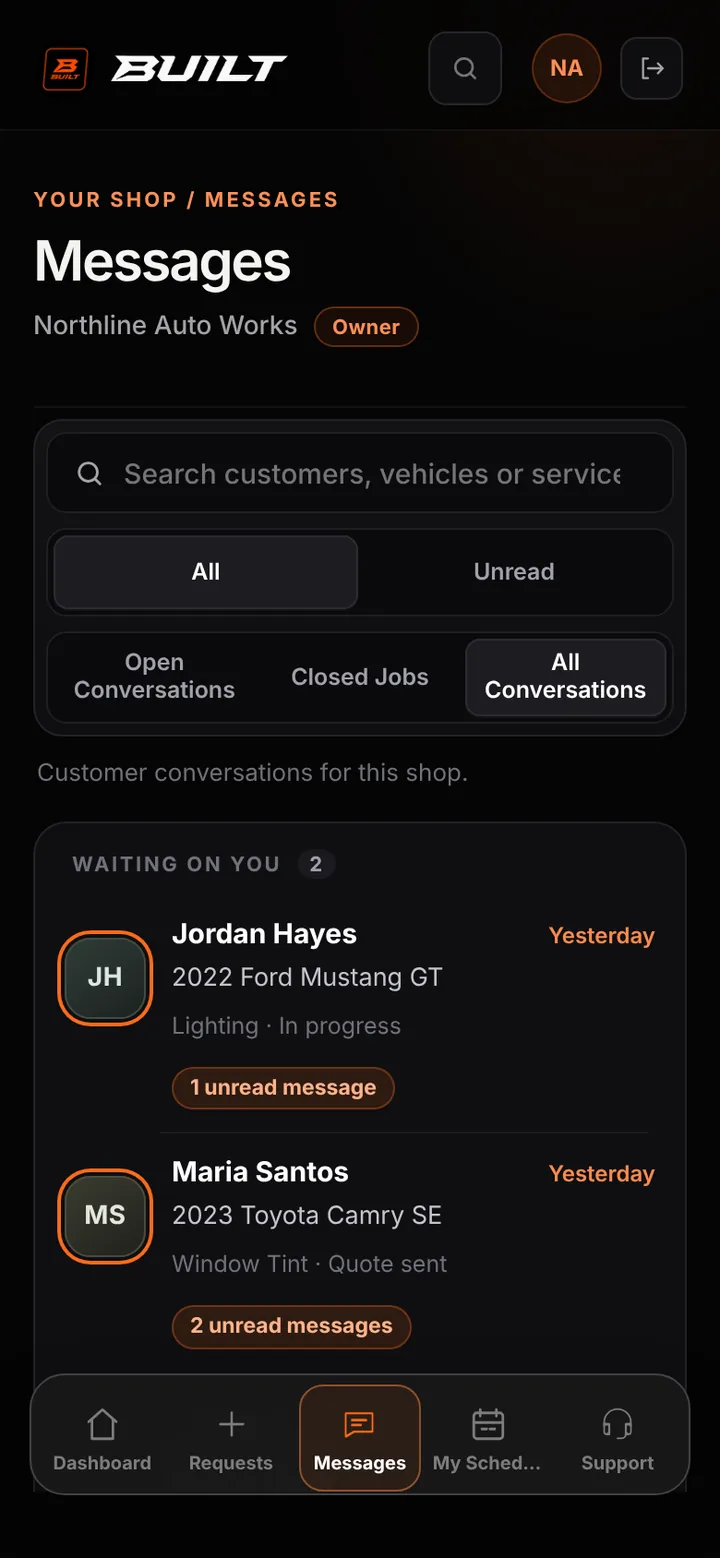
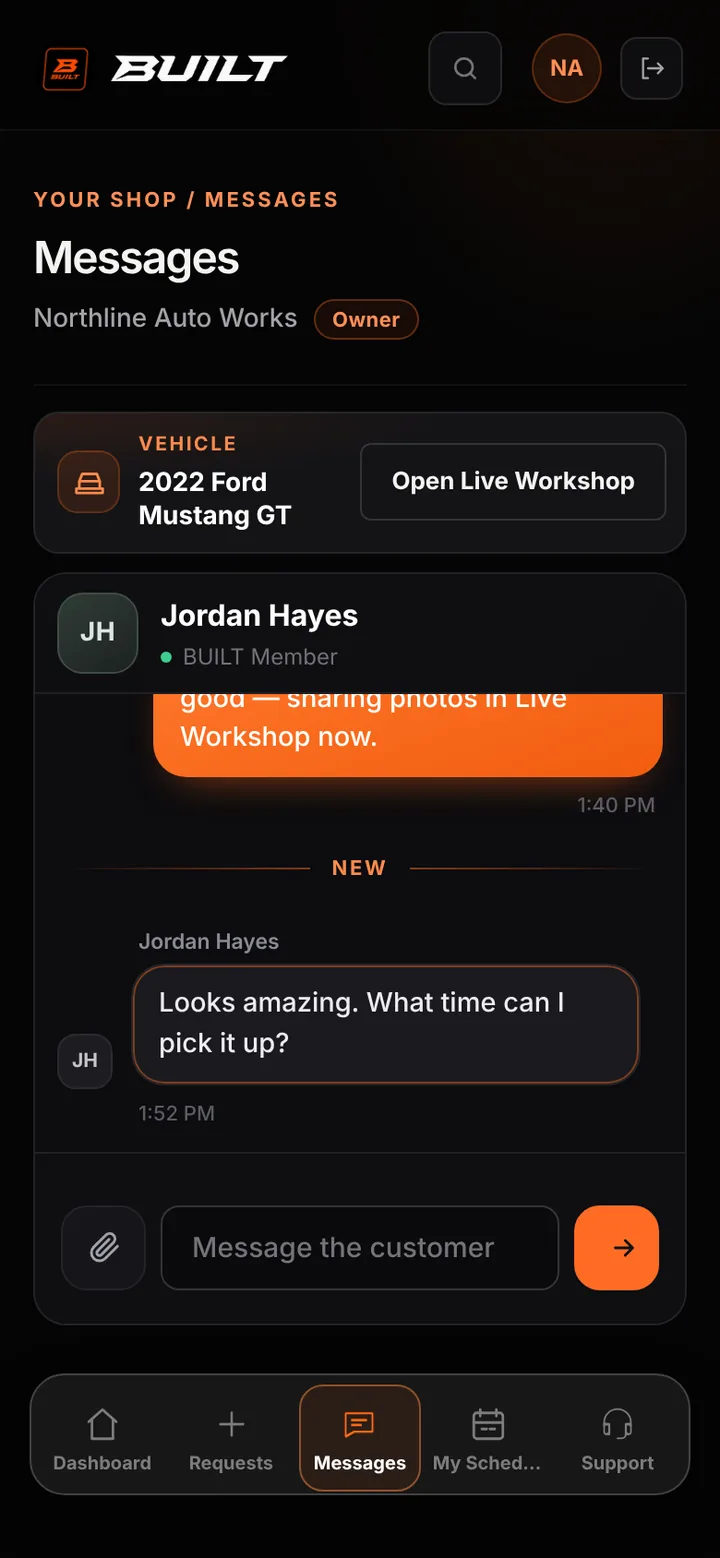
The vehicle and job are attached to the conversation, so nobody asks “which car was this?”
Anyone on the team with access sees the full history before replying.
Customer phone and email appear only on booked jobs, and only for authorized roles.
Good to know
See BUILT in action
Walk through the tools, explore your workflow, and talk about what fits your business.
Book demo