

Right where the day starts
Time Clock sits beside Open workspace at the top of the dashboard.
Employee Time Clock
Team members clock in and out, take breaks, and link a shift to a job from the top of the Business dashboard. Owners see who is working and review the time in reports.
Who it’s forOwners, managers, front desk staff, and installers clock themselves. Only the owner sees and manages the whole team.
Live demo of real BUILT screens with example data
How it works
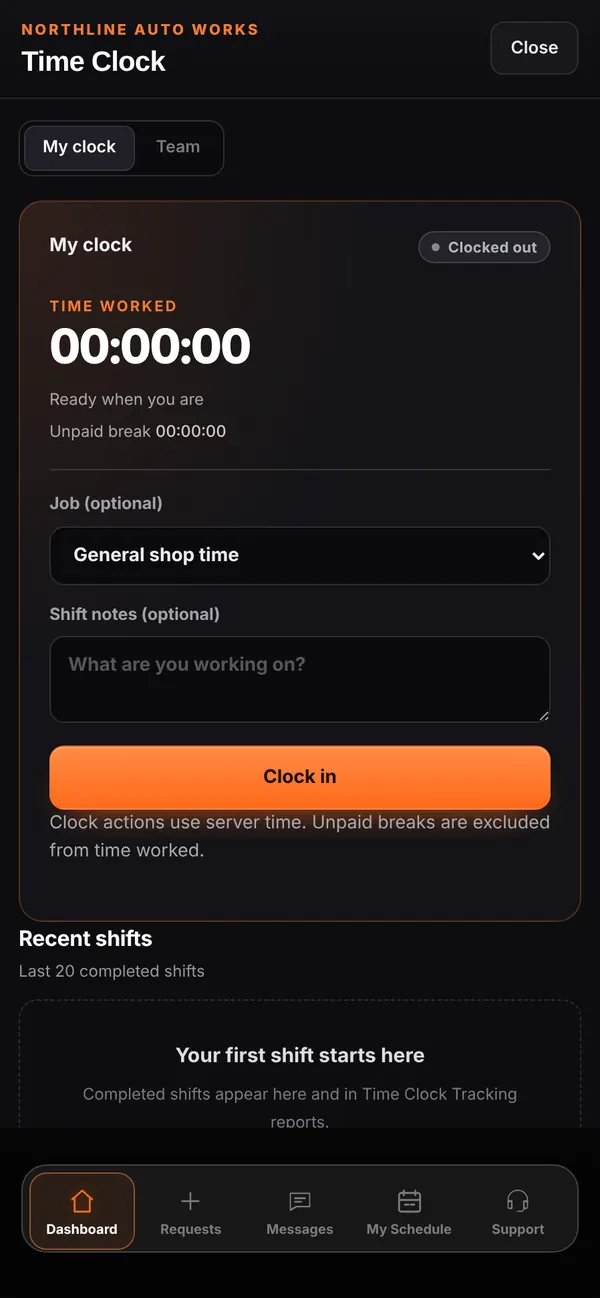
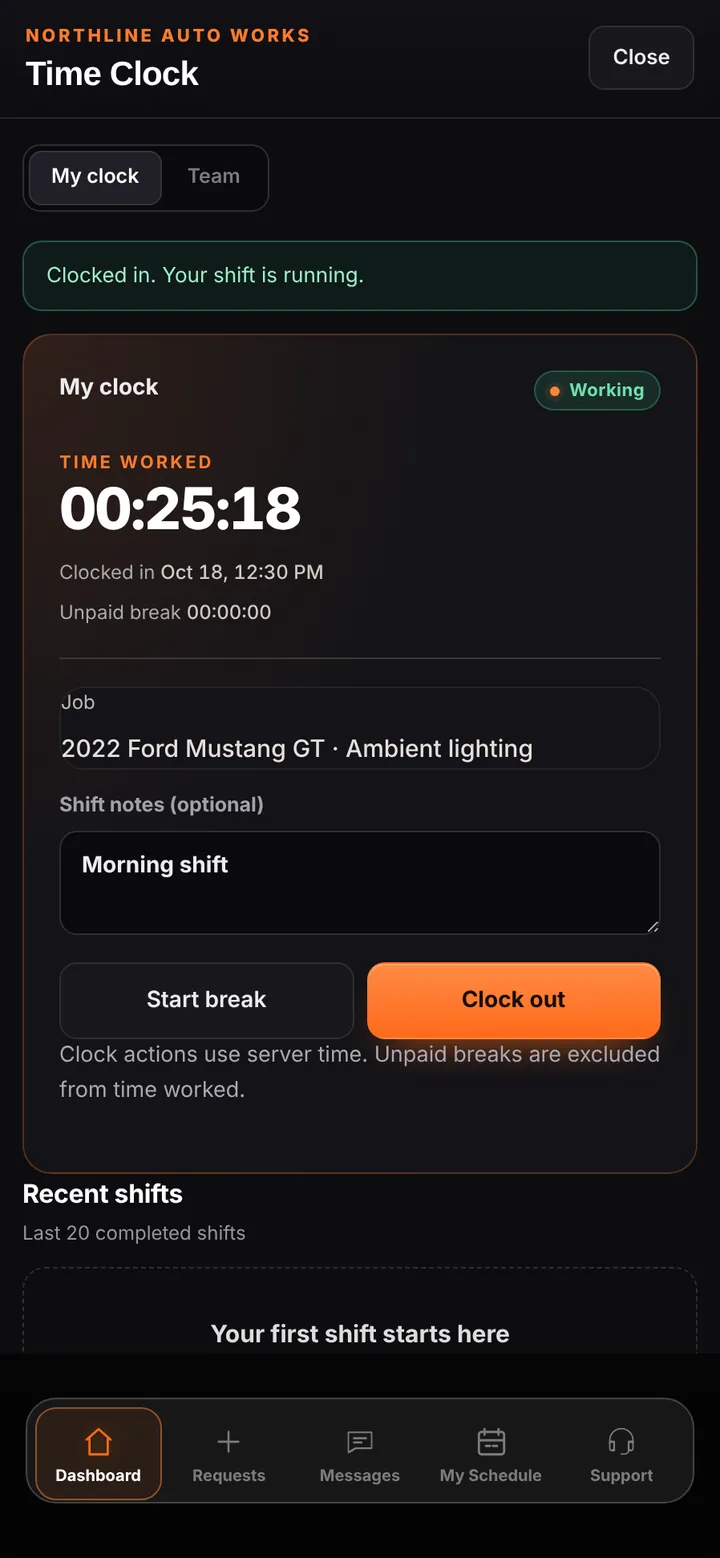
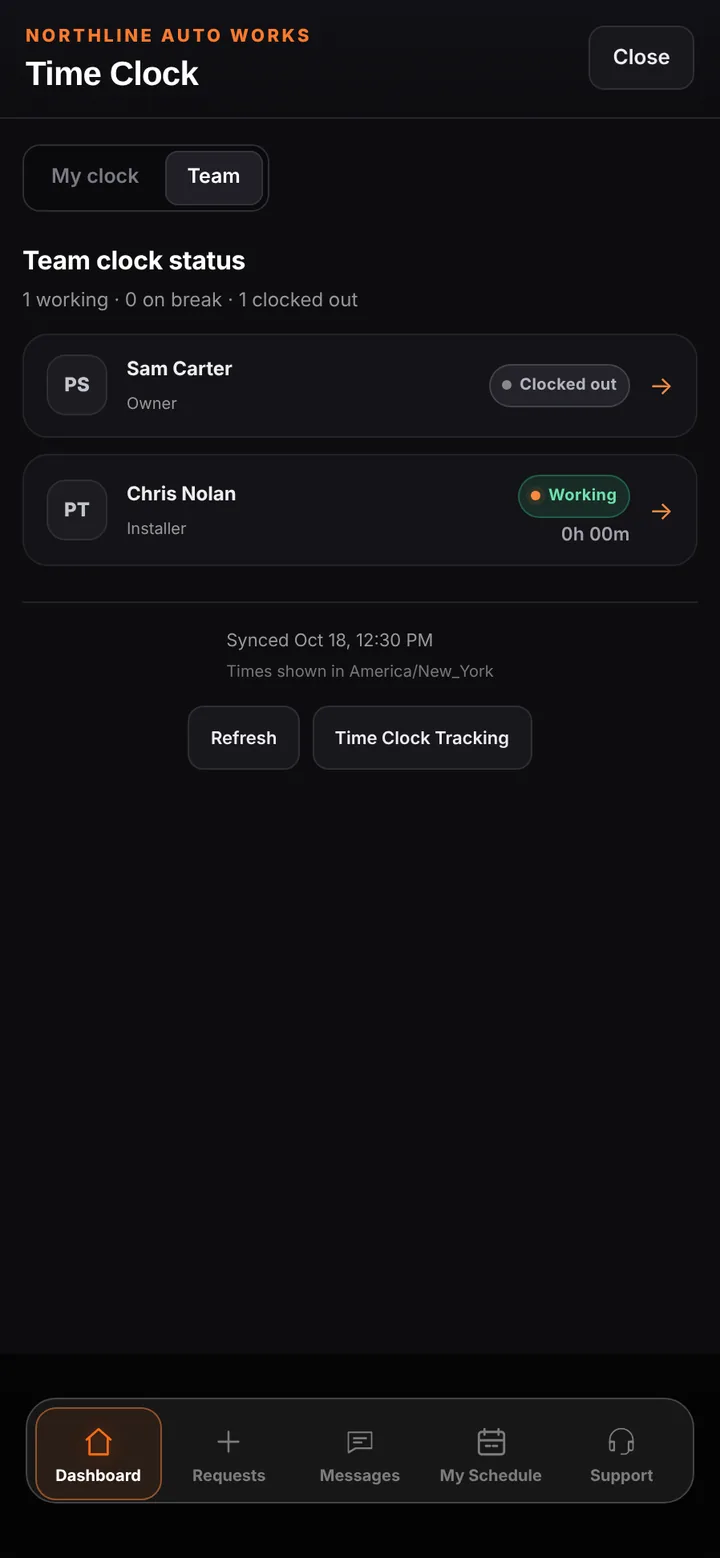
Each person sees their own clock: time worked, when they clocked in, unpaid break time, an optional job, and shift notes. Every clock action uses server time, so devices with the wrong clock don’t change the record, and unpaid breaks are excluded from time worked. The owner’s Team tab shows who is working, on break, or clocked out, and completed shifts flow into the Time Clock Tracking report.
Inside the app
Scroll — the screen follows along.
Time worked, the linked job, shift notes, and Start break or Clock out.
Who is working, on break, or clocked out right now.
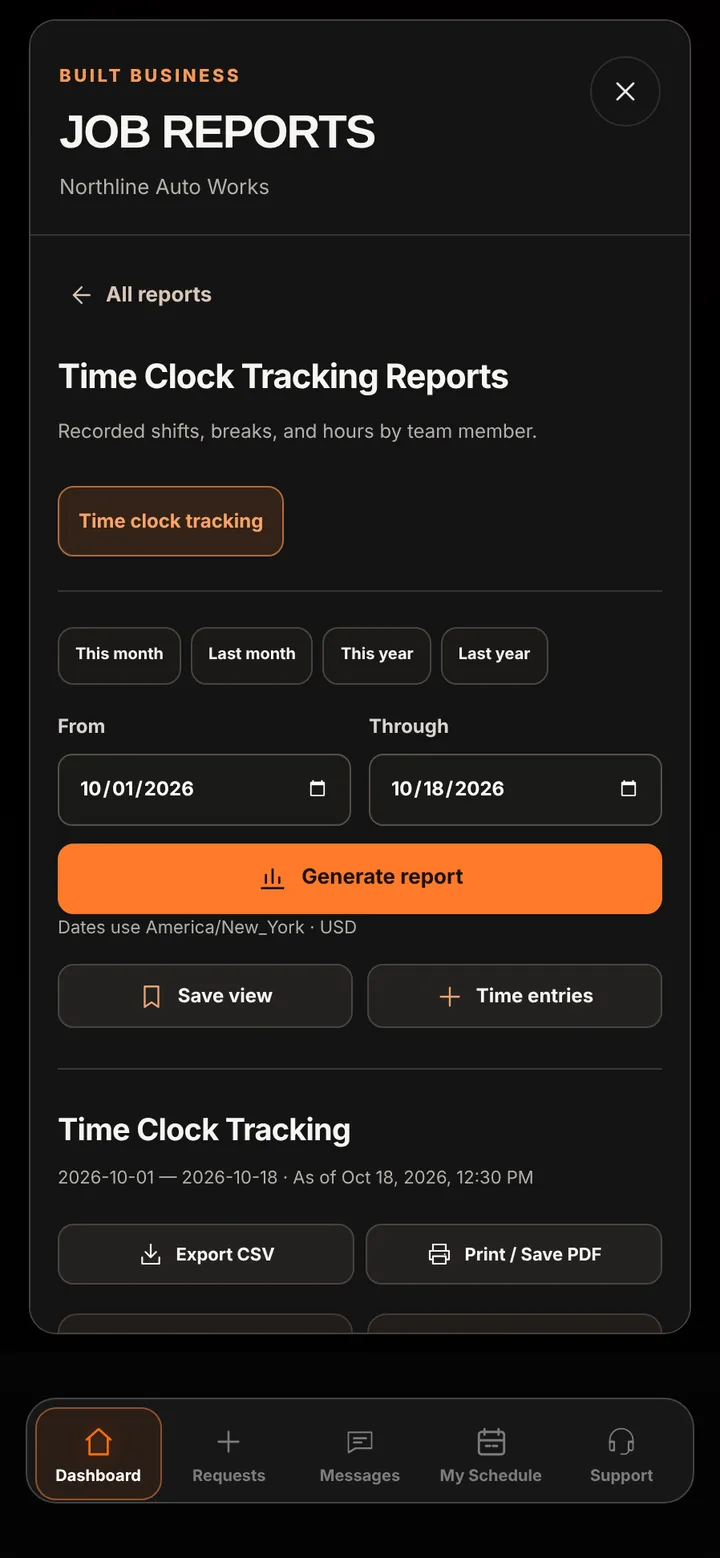
Time Clock Tracking shows recorded shifts, breaks, and hours by team member, with CSV and PDF export.
Time Clock sits beside Open workspace at the top of the dashboard.
Server time and exact retries keep one clean record per action.
Completed shifts are ready for the owner to review and export.
Good to know
See BUILT in action
Walk through the tools, explore your workflow, and talk about what fits your business.
Book demo